
If you want to get clients on Instagram, the hardest part is not the design. It is the waiting. You make a nice post, you upload it, and nothing happens. No messages, no clients, just a handful of likes from friends.
I know how that feels. Posting regularly on Instagram helped me gain views and my first clients, and it also taught me what not to do. This guide shares what I learned, step by step, for any beginner who designs on a phone.
If you want to get clients on Instagram, the hardest part is not the design. It is the waiting. You make a nice post, you upload it, and nothing happens. No messages, no clients, and sometimes not even support from the people closest to you.
I know how that feels. I started an Instagram account and posted regularly, and it helped me gain views and find clients. It also taught me what not to do, which I share below. This guide is what I learned, step by step, for any beginner who designs on a phone.

Why Instagram Works for Beginner Designers
Instagram is made of pictures, and design is made of pictures. That makes it one of the easiest places to show your work without a website. A small business owner can scroll through your page, see your style in seconds, and send you a message.
That is why your Instagram page can act as your portfolio. You do not need a big following to start. You need a clear page that shows what you can do.
Step 1: Set Up a Profile That Explains What You Do
A visitor decides in a few seconds whether to keep looking. Make it easy for them.
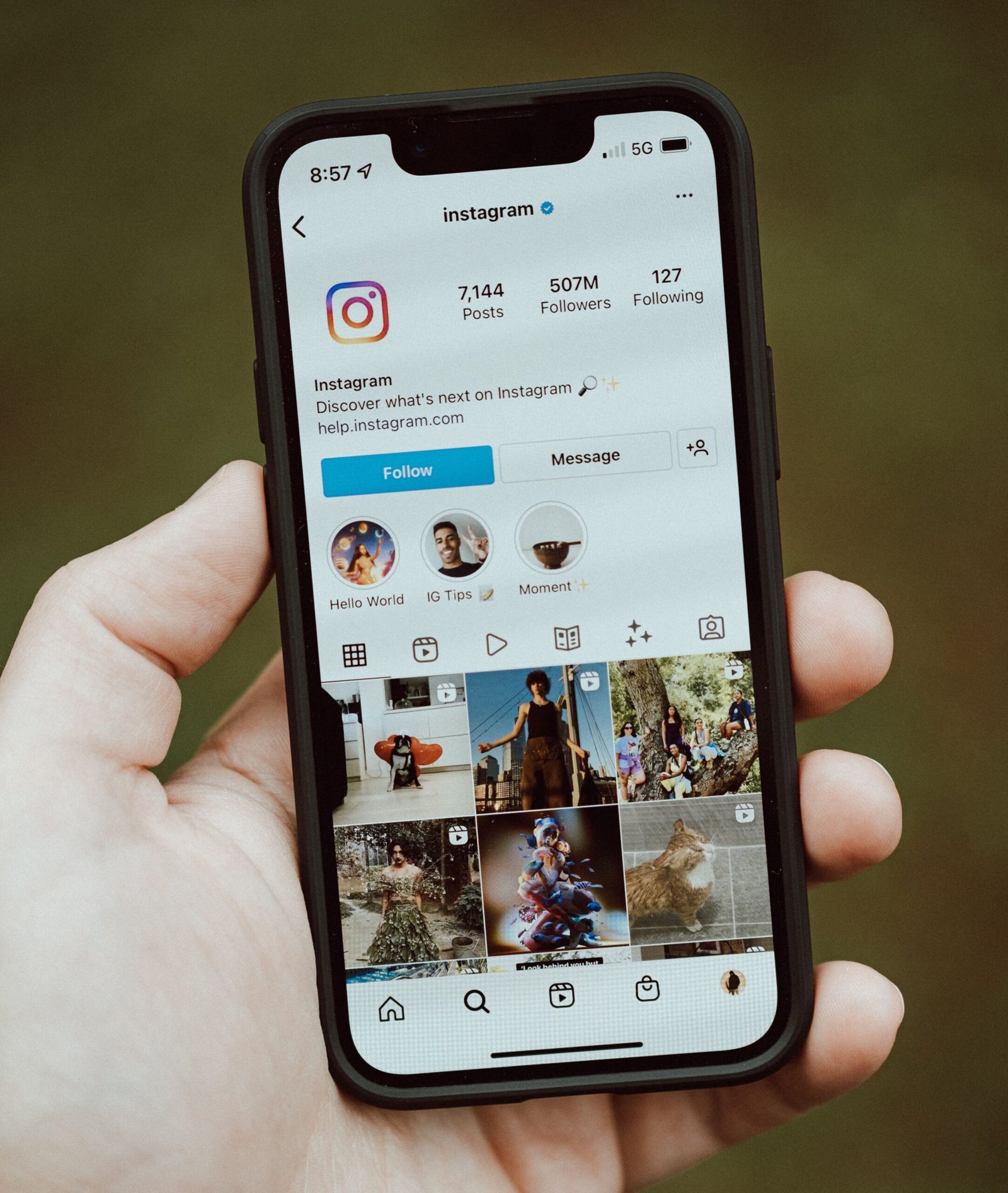
- Switch to a professional account. In your settings you can change your account type, which also gives you access to Insights, Instagram’s built-in statistics. You can check the steps in the official Instagram Help Center.
- Pick a clear name and username that are easy to read and spell.
- Write a short bio that says what you do and who you help. For example: “Canva designs and social media posts for small businesses.”
- Add a way to contact you, Add a way to contact you, such as the Message button, and include your email in the bio or the link in your profile
- Use a clear profile photo. Your face, or a simple logo.
Step 2: Decide What to Post
If your page is only a pile of random designs, visitors will not understand what to hire you for. Try mixing a few types of posts:
- Your best designs, such as posters, social media posts, or a matching set of three.
- Before and after, showing a plain post and your improved version.
- Short tips, like which font pairs well, or how to choose colors.
- A look at your process, such as a screen recording of you making a design.
- Client work, but only with the client’s permission.
For more ideas on building samples, see my guide on getting your first client as a Canva designer.
Step 3: Build a Portfolio With Redesign Practice
If you don’t have clients yet, you can make your own portfolio. Pick three or four brands you like and look at their social media posts. Then make your own original version of a post for each one, and never use the brand’s logo or exact photos.
Don’t copy. Look at what could be better, such as a hard-to-read font, a crowded layout, or weak colors, and fix it with your own idea.
When you post it, explain the design in the caption. Say what the problem was, how you fixed it, and what you did to make it more eye-catching. Add ‘concept redesign, not affiliated with the brand’ in the caption, so nobody thinks it’s paid work or an official campaign
Step 4: Post Consistently, Even When Nobody Cheers
This was my biggest struggle. I expected my friends and family to support me, and when they did not, my motivation dropped. After some time I stopped posting and editing, because it felt like it was not worth it.
Looking back, I was waiting for other people to give me a reason to continue. That is a weak foundation. What helped me think about it differently:
- Aim for a schedule you can keep, like three posts a week, instead of a daily promise you will break.
- Design in batches. Make several posts in one session, and schedule them.
- Judge your work by your own progress, not by who applauds.
- Look for people doing the same thing, in online groups, instead of waiting for support from people who do not understand it.
Results are different for everyone, so give it a few weeks before you decide whether it is working.

Step 5: Write Captions and Choose Hashtags Honestly
A caption helps people understand your post and what to do next. Keep it simple:
- Say what the design is for.
- Add one useful sentence, such as a tip or the idea behind it.
- End with a clear next step, like “Message me if you want a design like this.”
Hashtags can help people find your posts, but there is no magic formula. Use a small number that describe the post and your service. Do not copy huge lists of unrelated tags.
Step 6: Turn Viewers Into Clients
Posting gets you seen. Clients come from a few extra actions:
- Reply to every comment and message, and do it politely and quickly.
- Message small businesses directly. Pick pages whose posts look messy or rare, mention something you like about their page, and offer a free sample design.
- Pin your best three posts so visitors see your strongest work first.
- Make your offer clear, in a highlight or a pinned post: what you design, how many posts, how long it takes.
- Agree on the details in writing before you begin: price, deadline, number of edits, and how you will be paid.
- Make your profile attractive to creators too, A clean page with clear explanations makes it easier for potential clients to trust your work. It won’t happen overnight, but it gives people a reason to reach out.
Step 7: Check What Works
With a professional account you can open Insights to see which posts people viewed and saved. Look at your top three posts and make more like them. Look at your weakest three, and ask yourself what is unclear.
Mistakes to Avoid
- Buying followers. They do not become clients, and they can hurt your account.
- Copying someone else’s design. Learn from them, but make your own.
- Posting only designs, with no explanation. People do not know what to hire you for.
- Ignoring messages. A slow reply can lose a client.
- Sharing a client’s private information without permission.
- Quitting after two weeks. Most people stop right before it starts to work.

Stay Safe on Instagram
Some people target new freelancers. Be careful if someone:
- Asks you to pay a fee to get a job.
- Sends a link and asks you to log in, because that can be a phishing trick to steal your account.
- Sends you extra money and asks you to return the difference.
- Asks for your password. If you manage a client’s page, ask them to give you access through Meta Business Suite instead.
If you want to learn how to spot paid-course scams too, read my post on whether online courses are worth it.
FAQ
Do I need a lot of followers to get clients? There is no fixed number. A clear page with good samples and a fast reply matters more than a big count, though a visible audience can make new visitors feel more confident.
How often should I post? As often as you can keep up with. Three posts a week that you actually publish is better than daily posts that stop after a month.
Can I do all this from my phone? Yes. Canva, Instagram, and messaging all work on a phone.
How long until I get my first client? It varies. Some people hear back in a few weeks, and others take months. Keep improving your samples and keep messaging businesses.
Before You Go
You can get clients on Instagram with a clear profile, steady posting, and polite messages to the right businesses. If you take only one thing from this, let it be this: don’t wait for anyone’s applause to keep posting. Fix your bio today so it says exactly what you do, and keep improving your samples.
If you want to see the bigger picture, my starter plan for earning online from your phone shows where this fits. Tell me which step you will try first.